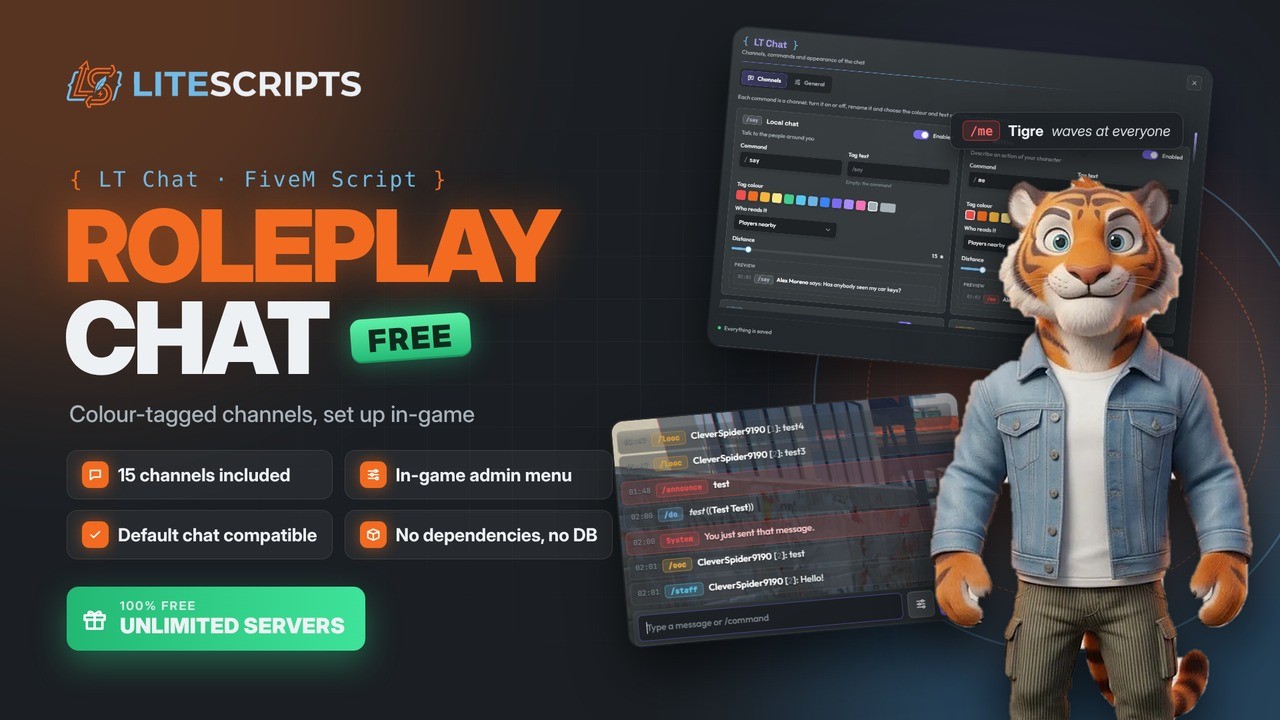
Overview
A clean, modern roleplay chat that replaces the default FiveM chat. Every roleplay command (/me, /do, /ooc...) is a channel with its own coloured tag, and everything is set up in-game with /chatadmin: turn commands on or off, rename them, change each tag's colour and text, and decide who reads them.
A single resource, lt-chat, with no database and no dependencies. Scripts made for the default chat keep working unchanged.
Features
- 15 ready-made channels: local chat,
/me,/do, global and local OOC,/try, dice, private messages, reports, Twitter, anonymous, adverts, emergency, server announcements and staff chat. - In-game admin menu (
/chatadmin) with a live preview of every channel. Changes reach every player the moment you save. - Full control of each channel: command name, tag colour and text, nearby or global range with distance, and whether
/me,/do,/tryand dice show in chat, over the head, or both. - Readable colour tags: only the tag takes the channel colour, so messages always stay easy to read.
- Comfortable typing: command suggestions, argument hints as you type, Tab to complete and history with the arrow keys.
- Per-player settings: text size (including a custom slider), when the chat is visible, timestamps and a soft sound on new messages.
- Secure by design: the server checks spam, duplicates, length, distance, routing bucket and permissions. HTML from other resources is never rendered.
- Staff tools: reports, staff chat, global announcements, clearing everyone's chat and seeing the real author of anonymous messages.
- Discord logging (optional): reports, anonymous messages, all chat activity and the commands sent.
- Drop-in compatible:
chat:addMessage,chatMessage, suggestions, templates andexports.chat, plus its own exports to send messages to any channel.
Compatibility
| Item | Details |
|---|---|
| Frameworks | QS Core, Qbox, QBCore, ESX, standalone (auto-detected) |
| Dependencies | None |
| Database | Not needed. Settings live in the server KVP and survive updates. |
| Language | English, Spanish and French, translatable via locales/ |
| Artifacts | No minimum version. Recent artifacts recommended. |
What you can edit
config.lua— channels, key, colour palette, sound, overhead text, command arguments, hidden commands, console, webhooks and limitslocales/— all in-game and UI textsbridge/— framework adapter (names, jobs and admins)- From the in-game menu — channels, commands, tags, range, chat position, timings and menu colour
Installation
- Download the script from Keymaster → Granted Assets (Cfx.re portal).
- Copy the
lt-chatfolder intoresources/without renaming it (if using FTP, binary mode). - Remove any other chat (
chat,qs-corechat...) and scripts that register/me,/door/ooc. - Add it to
server.cfgas early as possible, before the scripts that register command suggestions:
set resources_useSystemChat false
ensure lt-chat
add_ace group.admin ltchat.admin allow
Restart the server and press T in-game. Use /chatadmin to set up the channels.
Full guide: lite-scripts.com/docs
License & delivery
- Price: free.
- Delivery: automatic to your Cfx.re account (Keymaster) when claimed.
- Protection: Cfx.re Asset Escrow. Configurable files are left open.
- License: for your Cfx.re account, on as many servers as you want. No reselling, sharing or leaking.
- Updates: free forever, announced on Discord.